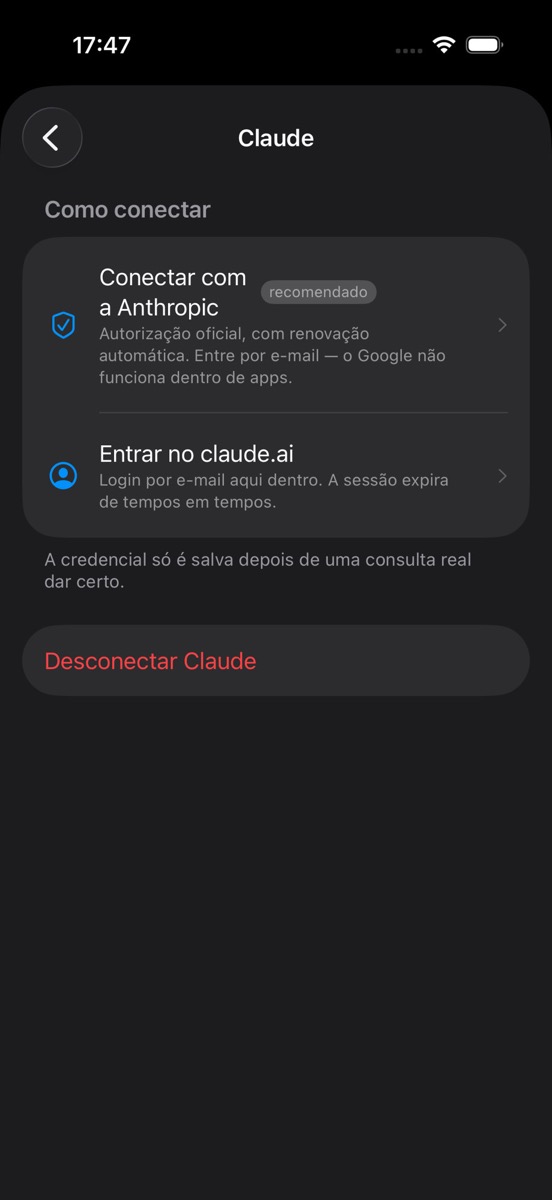
03 · Connect
OAuth when available. In-app login when required.
Credentials save only after a successful read. Google’s embedded-login limits in third-party apps are communicated clearly.

§01 / iOS · on-device
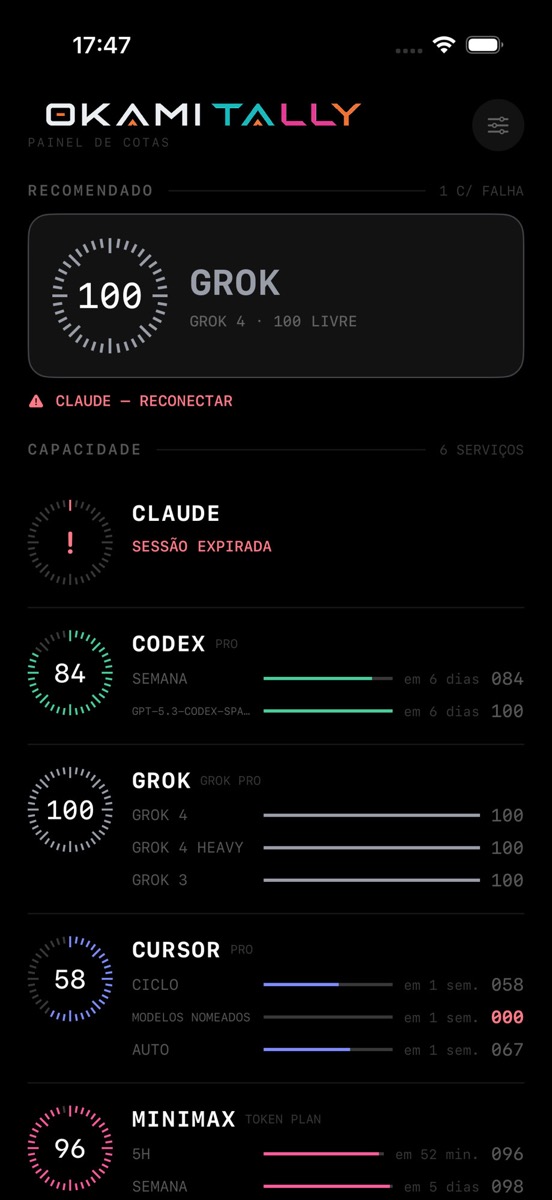
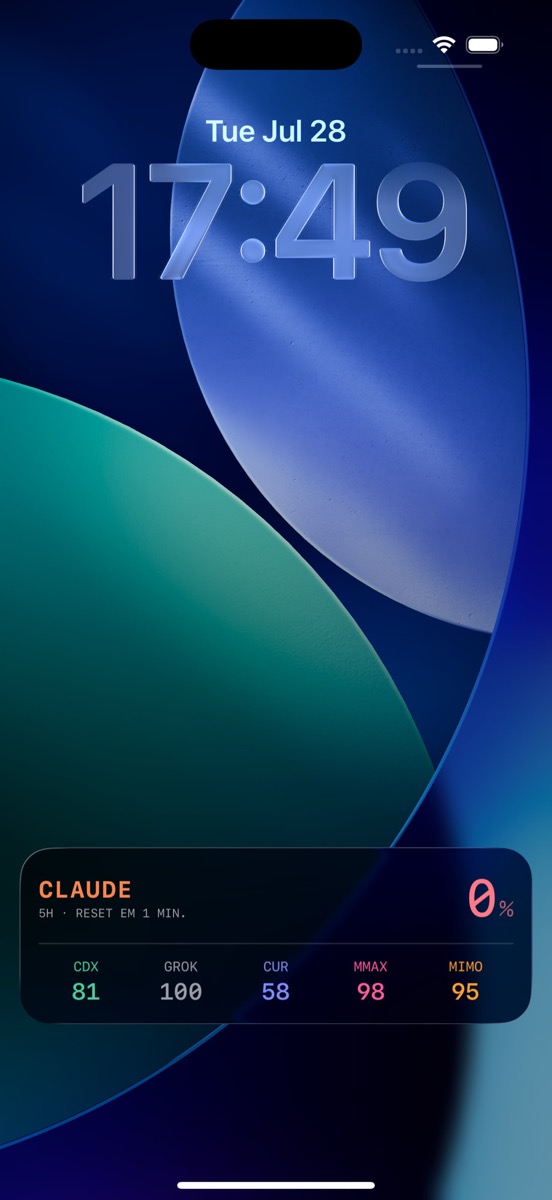
Okami Tally brings usage from your AI subscriptions — Claude, Codex, Grok, Cursor, and others — onto iPhone. Remaining headroom, reset windows, and model guidance in the app, widgets, and Lock Screen.
On-device · Keychain · no telemetry · iOS 17+
ON-DEVICE
no Okami server
6+
supported providers
KEYCHAIN
local credentials
iOS 17+
widgets and Island
§02 / Panel
Each provider shows remaining headroom and time to reset. The top recommendation points to the model to use now — based on live quota state.
§03 / How it works
No Okami intermediary between you and the provider.
OAuth or session. Credentials persist only after real validation.
State syncs across panel, widgets, Lock Screen, and Island.
Pick a model or wait for reset with numbers, not guesswork.
§04 / Surfaces
App, widgets, Lock Screen, and Dynamic Island share the same quota reading — without checking each provider manually.
03 · Connect
Credentials save only after a successful read. Google’s embedded-login limits in third-party apps are communicated clearly.
04 · Fleet
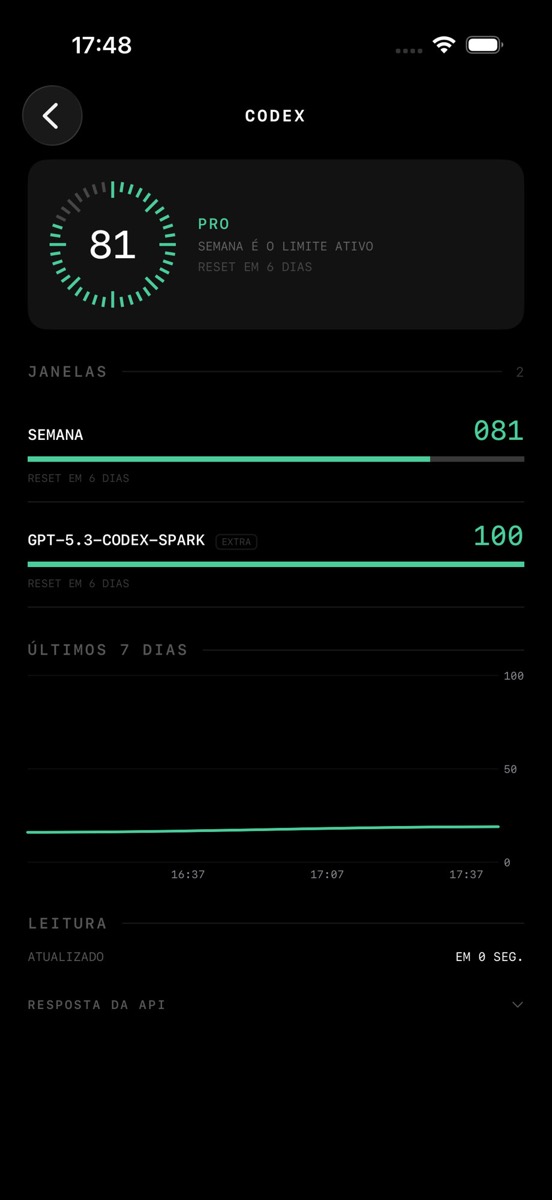
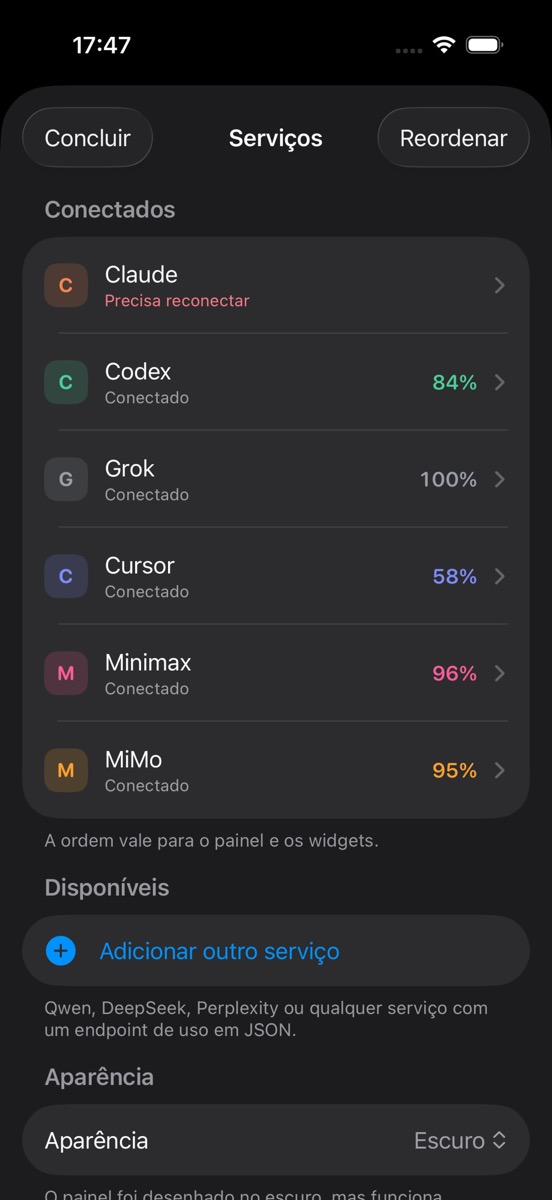
Reorder services, reconnect accounts, add JSON endpoints, and configure Island and alerts in one place.
§06 / Privacy
Zero Okami server in the path. Zero telemetry. Just you, the device, and the connected provider.
Tokens and passwords stay in the device Secure Enclave.
iPhone talks to the provider API — no Okami proxy.
On-device snapshot. Widgets never open the network alone.
Raw API responses in RAM; only % and timers persist.
§05 / Integrations
Endpoints verified on real accounts. Not listed? Map a usage JSON and plug in.
OAuth · 5h + weekly
OAuth · rate limits
Session · per model
Session · cycle
API / login
API / login
Endpoint, auth, and paths. Percent, fraction, or used/total.
usage.percent
usage.reset_at
Authorization: Bearer {token}
§07 / FAQ
No. The iPhone queries each service directly.
Only to the connected provider. There is no Okami backend.
Google blocks embedded login in third-party apps. Use email or an API key when available.
Not in v1. Focus is iOS 17+, widgets, and Dynamic Island.
Yes — provide a usage endpoint and map the JSON fields.
Yes. They are captures of Okami Tally on iPhone.
§08 / Next step
Connect the providers you already use and track quotas on iPhone — with on-device privacy.
App Store · coming soon
Listing in progress. The button activates when the public URL is available.
See how it works →